WP Contact Form 7 to external API
WordPress Contact Form 7 plugin can be used to communicate with an external API. You just have to hook into wpcf7_before_send_mail function. In this example I'm using the POST method, but GET (or any other one) will work just fine.
If you want this to work only for a specific contact form, then you have to get the form's ID. It is not the id you see in the shortcode. Instead it can be found in your browser's address bar when you navigate to a form.


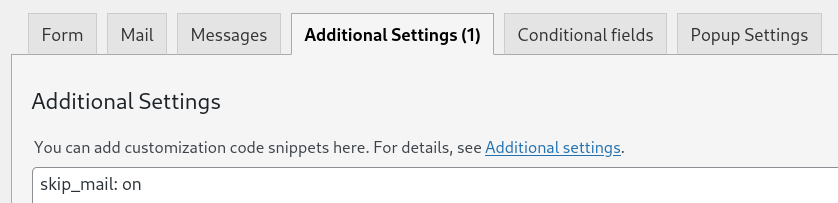
Also, in the Additoinal Settings tab, include the skip_mail: on option. Since you aren't going to be mailing anything out anyway.
The CF7 form used for this example would look something like this:
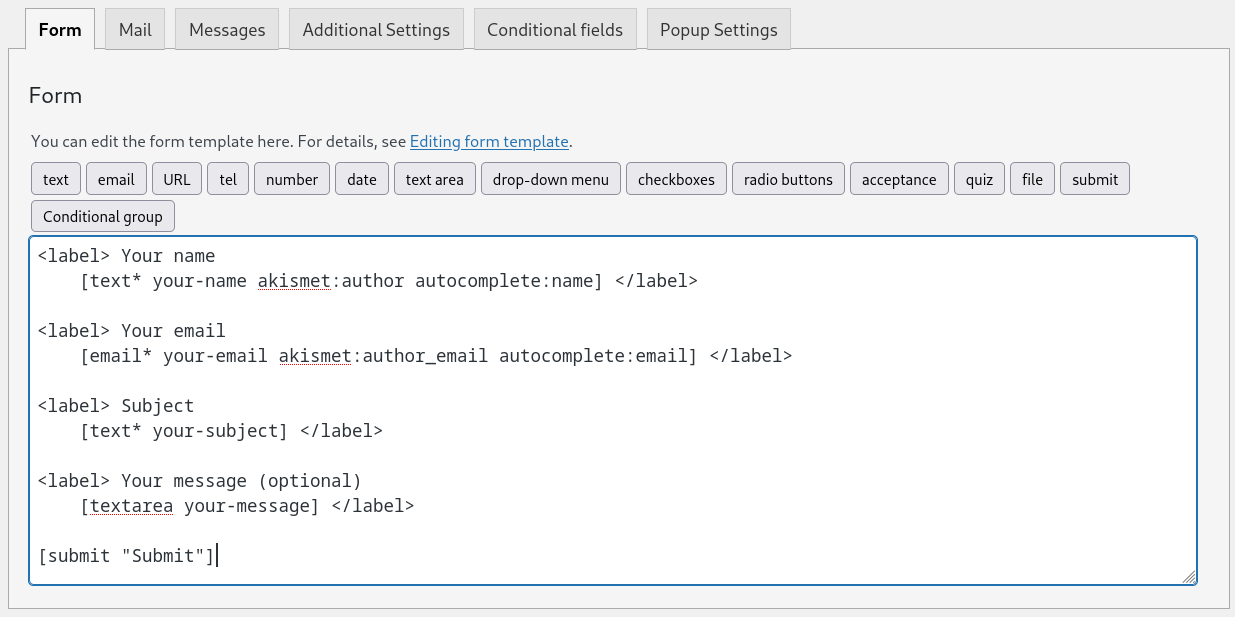
Once you have all that setup, the rest fairly straightforward. The following has to be added to your theme's (or child theme's) functions.php file, of course.
add_action('wpcf7_before_send_mail', 'wpcf7_to_ap_api');
function wpcf7_to_ap_api($contact_form) {

    // Insert the id of CF7 form you want to use instead of 38276
    $target_form_id = 38276;
    if ($contact_form->id() != $target_form_id) {
        return;
    }

    // Get submission instance
    $submission = WPCF7_Submission::get_instance();
    if (!$submission) {
        return;
    }

    // Get posted form data
    $posted_data = $submission->get_posted_data();

    // Build payload, sanitize fields just in case
    // The names of fields should match the ones from the CF7 form
    $payload = [
        'name'    => sanitize_text_field($posted_data['your-name']),
        'email'   => sanitize_email($posted_data['your-email']),
        'subject' => sanitize_text_field($posted_data['your-subject']),
        'message' => sanitize_textarea_field($posted_data['your-message']),
    ];

    // API endpoint
    $api_url = 'https://example.com/api/public';

    // Send POST request and store response in the $response variable
    // Refer to documentation of the API you're trying to reach to find
    // which specific headers you need (probably a key or a token)
    $response = wp_remote_post($api_url, [
            'method'       => 'POST',
            'headers'      => [
                'Content-Type' => 'application/json',
                'some-header'  => 'example',
            ],
            'body'         => wp_json_encode($payload),
            'timeout'      => 10,
    ]);

    // Get the form properties
    $properties = $contact_form->get_properties();

    // Handle errors, display message and status code from the API response
    if (is_wp_error($response)) {
        error_log('CF7 API Error: ' . $response->get_error_message());
    } else {
        $status_code = wp_remote_retrieve_response_code($response);
        $body = wp_remote_retrieve_body($response);
        $properties['messages']['mail_sent_ok'] = $body . ' (' . $status_code . ')';
        $contact_form->set_properties($properties);
    }
}